Nesting software for plasma cutting
Reduce plate waste on steel, aluminium and stainless. Set part spacing to cover the kerf you actually measure and the clearance heat demands, then export a clean DXF to your plasma CAM.
Try free - no install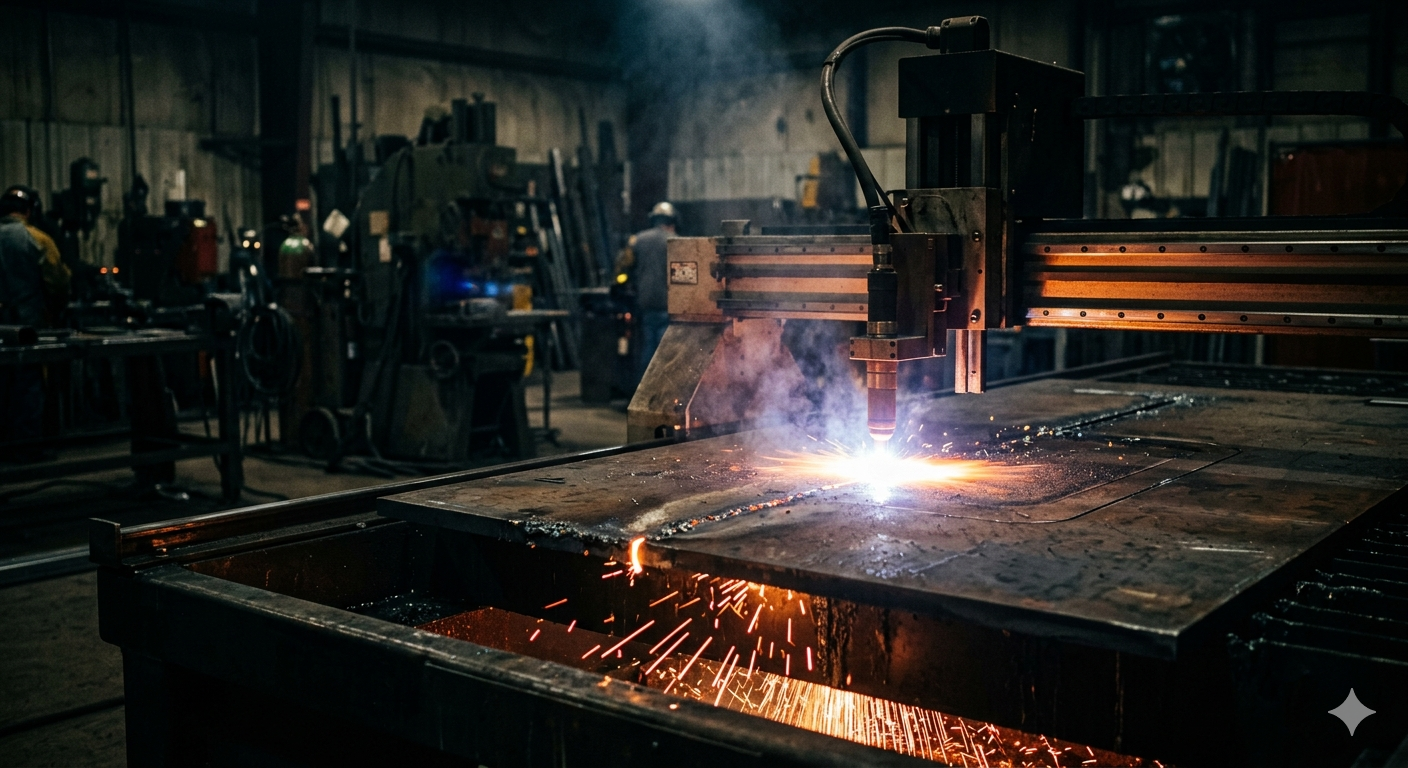
How Lapas helps your operation
Clean DXF export
Export the nested layout as a single DXF and take it into SheetCAM, Fusion 360 or whichever CAM posts for your controller, the way you do now.
Spacing for wide kerf
Plasma cuts wide. Set part spacing, in inches or millimetres, to cover the kerf you measured on your own table plus enough clearance that heat does not reach the next part.
Multi-plate optimization
Nest across multiple 48 x 96 in (1,219 x 2,438 mm) plates, metric sizes, or whatever remnant is on the rack, minimising the plate count needed.
PDF job sheet
Export a PDF report with the plate layout, utilization and part list, which is what most shops price a steel job from.
True-shape nesting
Brackets, gussets and flanged parts interlock by their real outline instead of by their bounding box, which is where plate work wins or loses material.
Specifically built for this workflow
- DXF import handles the geometry plate work produces: thick parts, holes, flanges, block references and splines from structural CAD
- DXF export loads into SheetCAM, Fusion 360 or any CAM tool that generates your plasma toolpaths
- Part spacing and sheet border set per job, so kerf and heat clearance are covered by numbers you choose
- Plate size and spacing in inches or millimetres, so a 48 x 96 in plate goes in the way you buy it
- Works in any desktop browser, in the office or on a shop-floor PC
- No license dongle and no hardware lock, so any machine in the shop can open the job
What plasma nesting has to get right
Most nesting software is built with laser cutting in mind, and the assumptions travel badly. Plasma kerf is typically 0.06 to 0.16 in (1.5 to 4 mm) depending on plate thickness, amperage and gas, against 0.004 to 0.012 in (0.1 to 0.3 mm) for a fiber laser on the same steel. A layout that treats cut width as a rounding error hands back parts that measure short, and it does it to every part on the plate at once.
Heat is the second difference. A plasma cut leaves a heat-affected zone running back from the edge, and two cuts close together heat the web between them twice, so common practice is to hold minimum part spacing 0.08 to 0.2 in (2 to 5 mm) beyond kerf rather than packing parts as tightly as the geometry allows.
Third is thickness. Plasma runs from about 0.15 in (4 mm) plate up past 2 in (50 mm), so lead-ins and lead-outs need real clearance outside the part profile, and a nest packed without room for them produces a layout the CAM step cannot post cleanly.
Kerf, spacing and pierce count
Measure kerf as the cut width on your own table with your own consumables, not a figure off a chart: it moves with amperage, gas, tip wear and thickness. A Hypertherm Powermax hand system, a Langmuir CrossFire table and a Torchmate will each give you a different number on the same plate, and so will the same machine with a worn tip. Lapas places parts by part spacing, so set part spacing to cover your kerf and the heat clearance on top of it, a 0.12 in (3 mm) kerf and 0.08 in (2 mm) of clearance for example, and inch values go in as decimals. There is more on what kerf is and on how part spacing changes a layout.
Pierce count is the number plate shops watch that laser shops mostly do not. Every pierce costs consumable life and cycle time, and on thick plate it is the hardest moment of the cut. That is why common-line cutting is worth more on a plasma table than on a laser, and why small holes depend on lead-in placement as much as on the layout.
Plate sizes, remnants and DXF from structural CAD
Plate size is set per job, in inches or millimetres, so you enter it the way the rack is labelled: 48 x 96 in (1,219 x 2,438 mm) for a standard 4 x 8 ft plate, 60 x 120 in (1,524 x 3,048 mm) for a 5 x 10, and a drop is simply a smaller plate. That means the same parts can be nested against a remnant first to see whether the job fits before a full plate is committed. Remnant management is where most of the recoverable material in a plate shop sits, and Lapas keeps remnants in their real shape on every plan.
The files are different too. DXF out of structural steel CAD carries block references, splines, ellipses, detailing layers and duplicated outlines that a nester has to read correctly before it can place anything. Lapas imports DXF, DWG, SVG, vector PDF, Illustrator and LightBurn files and nests true shape, so brackets, gussets and flanged parts interlock instead of being treated as rectangles. When a file still refuses to import, the DXF troubleshooting guide has the causes.
How a plasma job runs through Lapas
- Upload the DXF parts in the browser and set quantities, then set plate size and part spacing in inches or millimetres: a 48 x 96 in (1,219 x 2,438 mm) plate of 1/4 in (6.35 mm) A36, spacing set to cover the 0.09 in kerf you measured plus 0.08 in of heat clearance.
- Run the nest and watch parts place live. Drag or rotate anything the automatic layout put in the wrong place, and the export reflects the edit.
- Export the layout as DXF for your plasma CAM, and take the PDF report for the quote: plate count, utilization and the part list.
DXF into the CAM you already run is the production path, whether that is SheetCAM or Fusion 360 posting for a Hypertherm Powermax, a Langmuir CrossFire or a Torchmate. Lapas does not talk to any of them and there is nothing to install: it writes the DXF those tools read. G-code export is available on both plans for simple 2-axis work, but the output has not been validated across controllers and machines, so check it before you cut. Nesting and re-nesting are unlimited on the free plan, with no cap on parts per job, so a real file can be run again and again until the layout is right. The plan includes 5 project exports a month in any format, and re-exporting a project you have already exported is free for 7 days. Pricing covers the Pro plan, which removes the export cap.
How Lapas compares for plate work
The engine is measured rather than described. Lapas Core v1.1 ran against deepnest-next v1.5.6 over 37 cases, scored by an independent program that recomputes every number from the output geometry. On the 10 ESICUP academic instances Lapas Core averages 86.1% packing density against 73.3%; across 10 sheet-metal jobs it uses 25 plates against 28, and reaches a tighter nest in 10 seconds than Deepnest reaches in 5 minutes. On 7 of those 10 jobs the two tie on plate count. The full run is on the benchmark page. Against hand nesting: most shops see 15-30% better utilization vs. manual nesting, and typical results vary by job type and current method.
Deepnest is free, open source and offline, and the community deepnest-next fork shipped v1.5.6 in May 2025 and is actively maintained, while the original stopped at v1.0.5 in 2021 (full comparison). ProNest LT wins outright on Hypertherm hardware, because SureCut is tied to their machines. It is Windows only, and the entry plan, Smart Start, was $29.99 per month per user with a 7 day trial on Hypertherm's subscription pages when we checked in July 2026 (full comparison). SigmaNEST is the enterprise option, Windows desktop with quote-only pricing as of July 2026, covering post processors, scheduling and ERP integration that Lapas does not touch (full comparison).
Common questions
Will the nested file work with my plasma CAM?
Yes. Lapas exports the layout as a DXF, which you open in the CAM you already run, SheetCAM, Fusion 360 or otherwise, to generate toolpaths and post for your controller, whether the table is a Hypertherm Powermax setup, a Langmuir CrossFire or a Torchmate. There is no plugin and nothing to install: Lapas writes the DXF your CAM reads. G-code export is available on both plans for simple 2-axis work, but it has not been validated across controllers and machines, so verify the output before cutting.
What part spacing should I set for plasma cutting?
Enough to cover your kerf plus heat clearance. Measure kerf on your own table rather than taking a catalogue number. Plasma kerf is typically 0.06 to 0.16 in (1.5 to 4 mm) depending on thickness, amperage and gas, and it widens as the tip wears. Set part spacing to cover it, plus the clearance commonly held on top, 0.08 to 0.2 in (2 to 5 mm), so heat from one cut does not reach the next part. Inch values go in as decimals.
Can I nest on remnants and non-standard plate sizes?
Yes. Plate size is set per job, in inches or millimetres, so a 48 x 96 in (1,219 x 2,438 mm) plate, a 60 x 120 in (1,524 x 3,048 mm) plate and a 22 x 41 in drop are all just numbers you type. Nest the same parts against the remnant first to see whether the job fits before committing a full plate.
What does the free plan include?
Unlimited nesting and re-nesting with no cap on parts per job, the full engine, import of DXF, DWG, SVG, vector PDF, Illustrator and LightBurn files, true-shape nesting, manual adjustment of a finished layout, and 5 project exports a month in any format. Re-exporting a project you already exported is free for 7 days. No credit card is required.
Don't take our word for it.
Upload one of your own DXF files and see the layout yourself. It's free and takes about two minutes.
On a phone? Book a 20-minute call and we nest your file with you on a screen share.
No credit card · No install · Your files stay yours
Free · 20 minutes · No commitment