Nesting software
Nesting software that runs in your browser
Upload a DXF, set your sheet size and part spacing, and get an optimized cutting layout in seconds. True-shape nesting, so parts interlock instead of sitting in bounding boxes. Nothing to install.
Free plan: unlimited nesting and re-nests, no part limit, 5 project exports a month. Pro $49/mo.
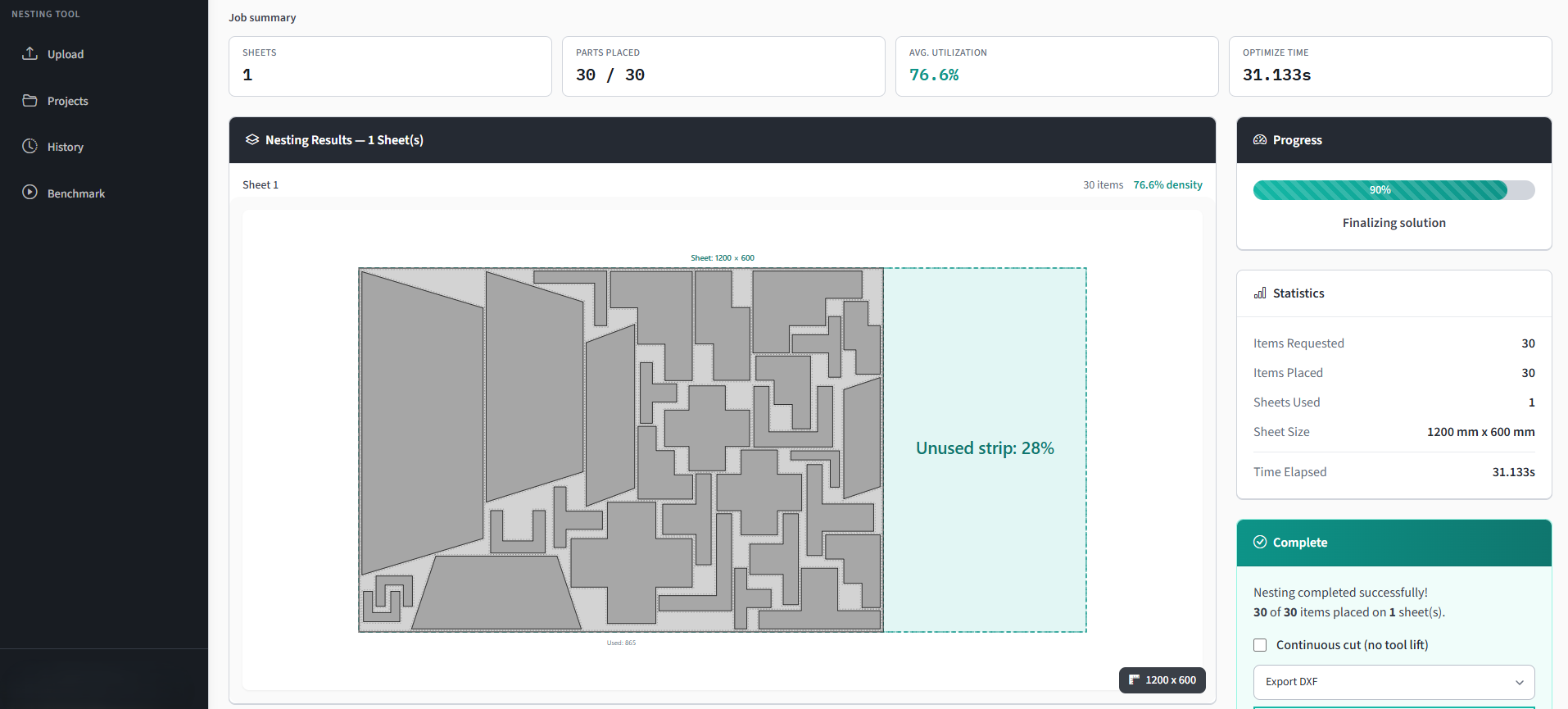
What nesting software actually does
It decides where each part goes on the sheet. You supply the shapes, the quantities and the plate size; it returns a layout that fits them in the fewest sheets. The problem underneath is 2D irregular bin packing, which is NP-hard, so every real tool is searching for a good answer inside a time budget rather than proving an optimal one.
The part that decides how much material you keep is whether the tool packs the true outline or a rectangle around it. Lapas packs the true shape, using no-fit polygons to find every legal position a part can occupy against its neighbours. On irregular parts that is worth 15 to 25 points of utilization against rectangular packing.
For what shops actually get rather than what an engine can do, the Nesting Utilization Report 2026 measures 6,900 completed jobs: the median layout uses 69% of the plate, and job size moves that figure more than any setting.
How it works
From file to cut-ready in under a minute
If you can upload a file, you can use Lapas.
Upload your parts
Drop in your DXF, DWG, SVG, PDF, Illustrator or LightBurn file. Set how many of each part you need.
AutoCAD, SolidWorks, Fusion 360, FreeCAD: all supported.
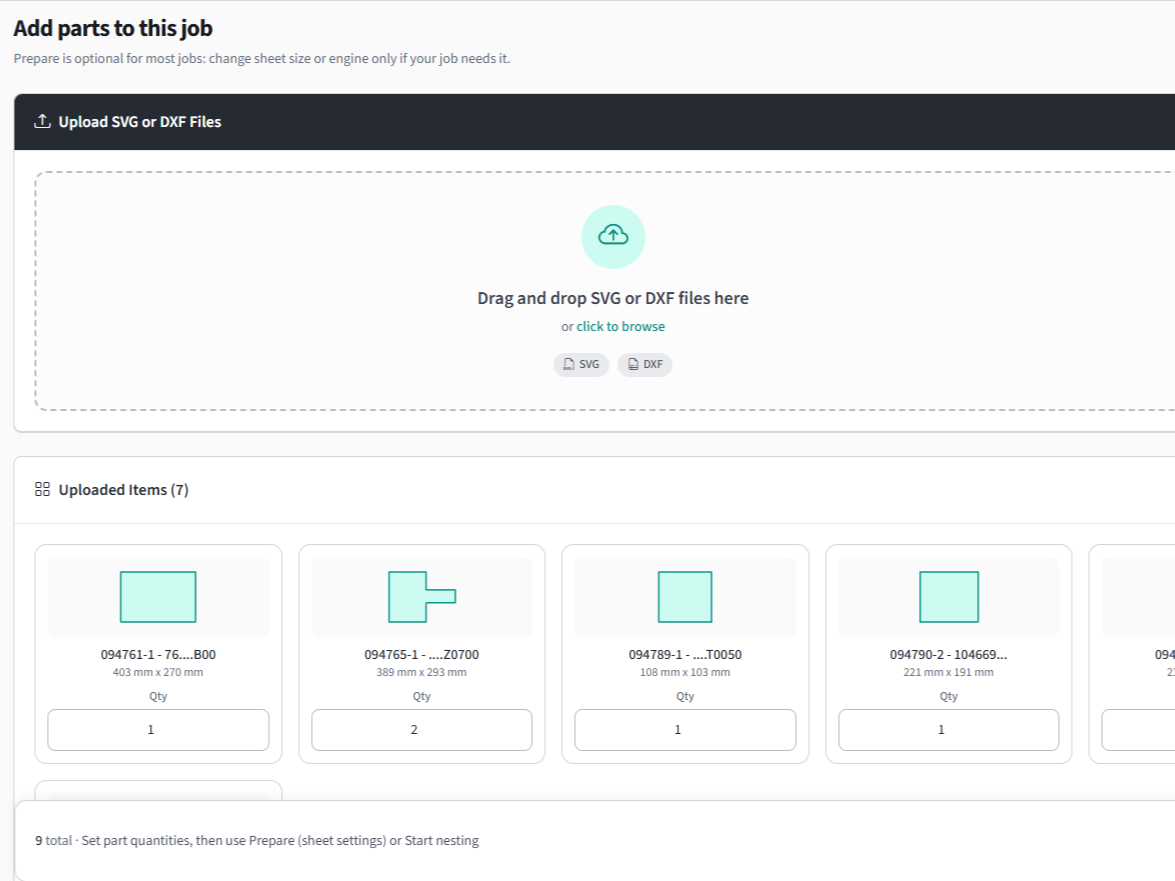
Set your sheet size
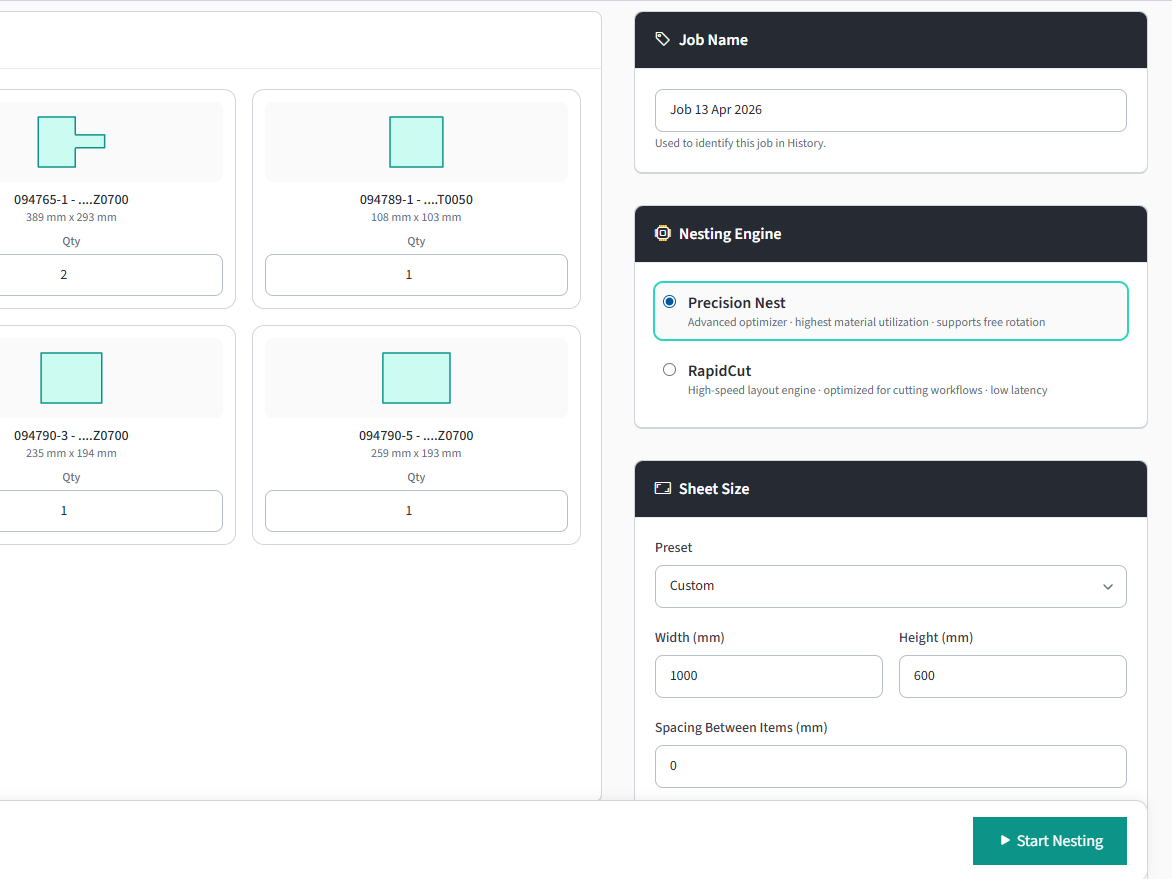
Enter sheet dimensions, part spacing, and how long the optimizer may search.
Multiple sheets, rotation rules, and grain direction supported.
Get your cutting layout
Download DXF or PDF report. Ready for the machine or your customer.
See sheets needed, utilization %, and part placement.
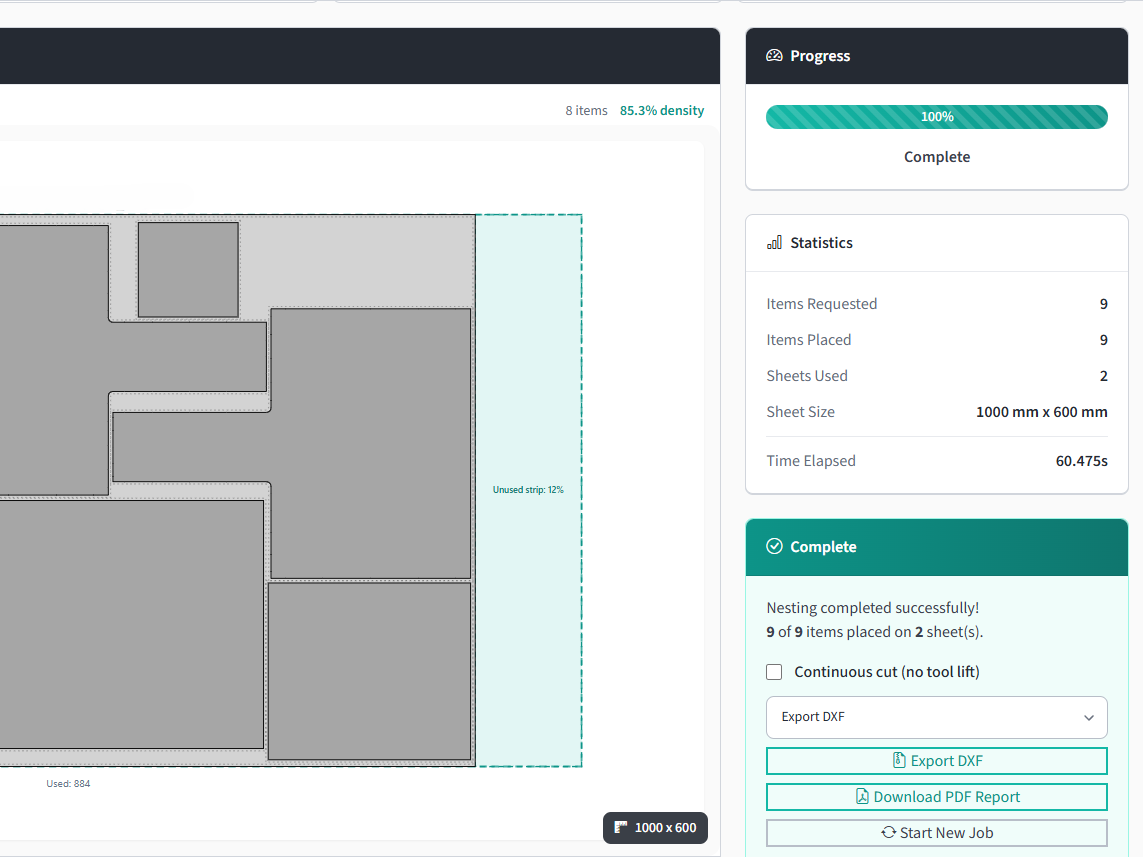
Lapas doesn't replace your CAM. It hands back a nested DXF. Lead-ins, kerf compensation, and cut sequencing stay in the tools you use today. If your machine reads DXF, it works with Lapas.
See it in action
Watch a DXF go from upload to cut-ready
Open the demo page for a step-by-step breakdown of this job.
Independently benchmarked
Measured against Deepnest, not just claimed
We ran Lapas Core v1.1 head to head against Deepnest on 37 nesting cases: same parts, same plates, same time budgets, then scored every result with an independent program that reads the output geometry. On the standard density tests Lapas left 13.9% of the plate as offcut against Deepnest's 26.7%, and on real jobs it fits the same parts on fewer plates. Fewer plates means lower material spend on every run.
Read the full benchmark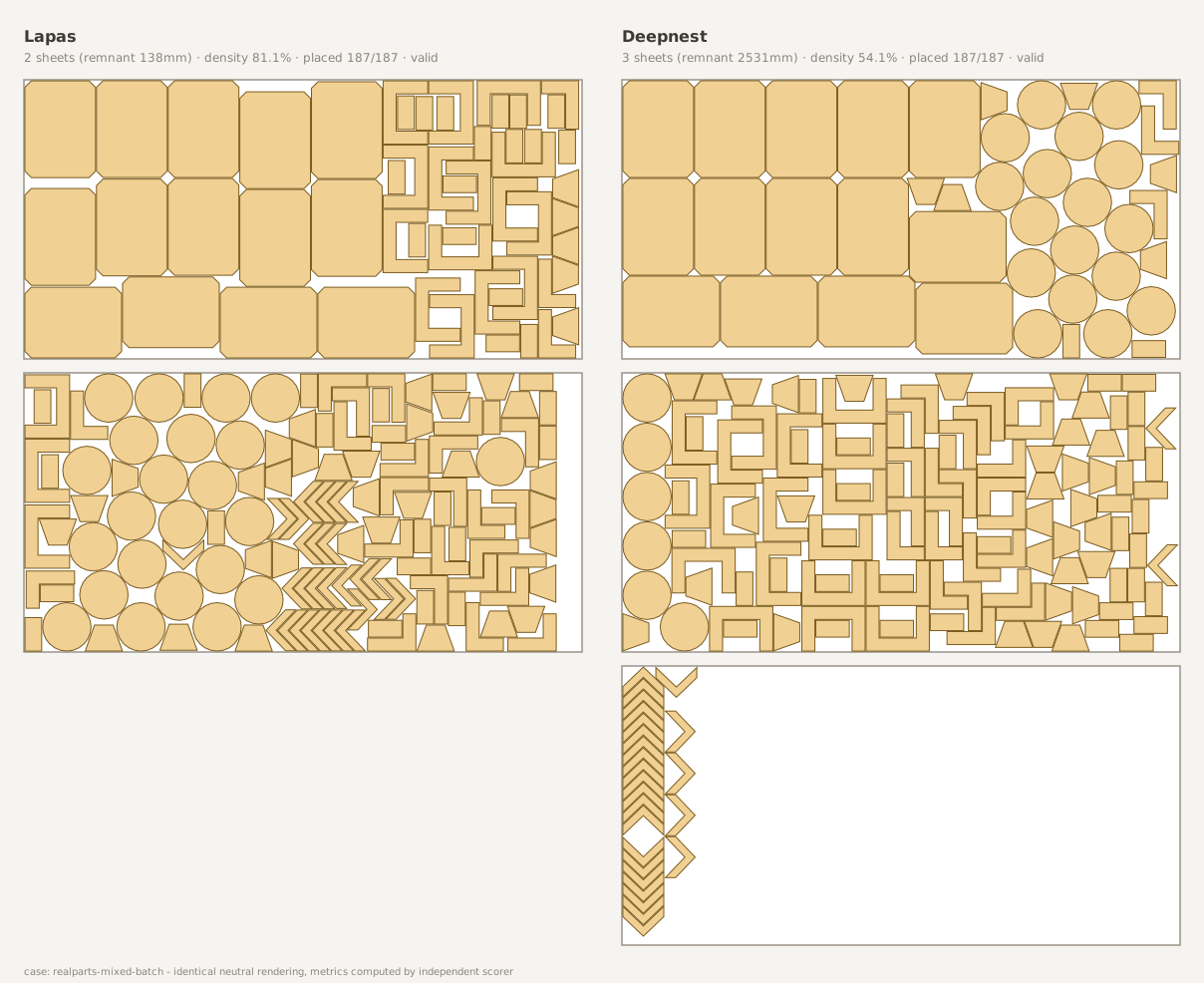
Same 187-part job: Lapas fits 2 plates (left); Deepnest needs 3 (right).
- 1.92x
- more of the plate thrown away by Deepnest: 26.7% wasted against our 13.9%
- 10 s
- beats Deepnest's best 5-minute nest, on every shape tested
- 3 plates
- saved across a 10-job batch, 25 against 28, never more
ROI calculator
How much is waste costing your shop?
Move the sliders. See what you could save each month.
A real job at your volume
Steel fabrication, Spain put 180 parts on 4 plates instead of 6, using 92% of every plate, in 35 seconds.
Assumes optimized utilization reaches 85%, in line with the customer jobs shown above and in the panel. Actual savings depend on part complexity, material type, and operator method.
Nesting software for your process
Same engine each time. Kerf, spacing and what you do with the output are what change. All four are listed together on the cutting process overview.
What you gain and what you give up by running in a browser instead of a desktop install.
Which DXF entities survive import, why files come in empty, and the round trip back to CAM.
Lapas has no ERP integrations. What the file handoff actually looks like alongside Fulcrum and Global Shop Solutions, and when it is the wrong answer.
Comparing tools?
Head-to-head against the tools people actually shortlist: Deepnest, SVGNest and ProNest LT, each one saying where the other tool is the better pick. Or the wider roundups: best nesting software in 2026 and free nesting software options.
Common questions
Nesting software works out how to arrange your parts on a sheet so the least material is wasted. You give it the part shapes and quantities and the sheet size, and it returns a cutting layout. Doing it by hand on anything past a handful of parts is slow and leaves material on the floor.
Rectangular nesting puts a bounding box around every part and packs the boxes, which wastes the space inside concave shapes. True-shape nesting packs the actual outlines, so parts interlock. On irregular geometry that difference is commonly 15 to 25 percentage points of material utilization. Lapas does true-shape nesting.
Yes. Lapas has a free plan with no credit card and no expiry: unlimited nesting and re-nesting with the full nesting engine rather than a cut-down version, and 5 project exports a month in any format. Deepnest and SVGNest are free and open source too. SVGNest has had no commit since April 2019 and reads SVG only; Deepnest is desktop-only, and the build people install now is the deepnest-next community fork, which shipped v1.5.6 in May 2025 and is the build our benchmark runs against.
Not any more. Lapas runs in the browser, so it works the same on Windows, macOS and Linux, and there is nothing for IT to approve. Most of the established tools are Windows-only desktop installs.
DXF, DWG, SVG, vector PDF, Adobe Illustrator (.ai) and LightBurn (.lbrn2) files in. The nested layout comes back as DXF for your CAM step, plus a PDF report you can quote from. G-code export is available in beta for simple 2-axis work, but it has not been validated across controllers, so check the output before you cut.
The free plan is $0 with no expiry. Pro is $49 a month, or $39 a month billed annually which is $468 a year, and removes the export cap while adding full project history and priority support. Pro has a 7 day free trial and you can cancel from the Stripe billing portal linked on the Subscription page.
Don't take our word for it.
Upload one of your own DXF files and see the layout yourself. It's free and takes about two minutes.
On a phone? Book a 20-minute call and we nest your file with you on a screen share.
No credit card · No install · Your files stay yours
Free · 20 minutes · No commitment