Online nesting software
Nesting software that runs online, with no download
Open a tab, upload a DXF or SVG, get an optimized cutting layout. No installer, no admin rights, no Windows requirement. The same tool on a workstation, a MacBook or the PC on the shop floor.
Free plan, no credit card. Unlimited nesting and re-nests, 5 project exports a month.
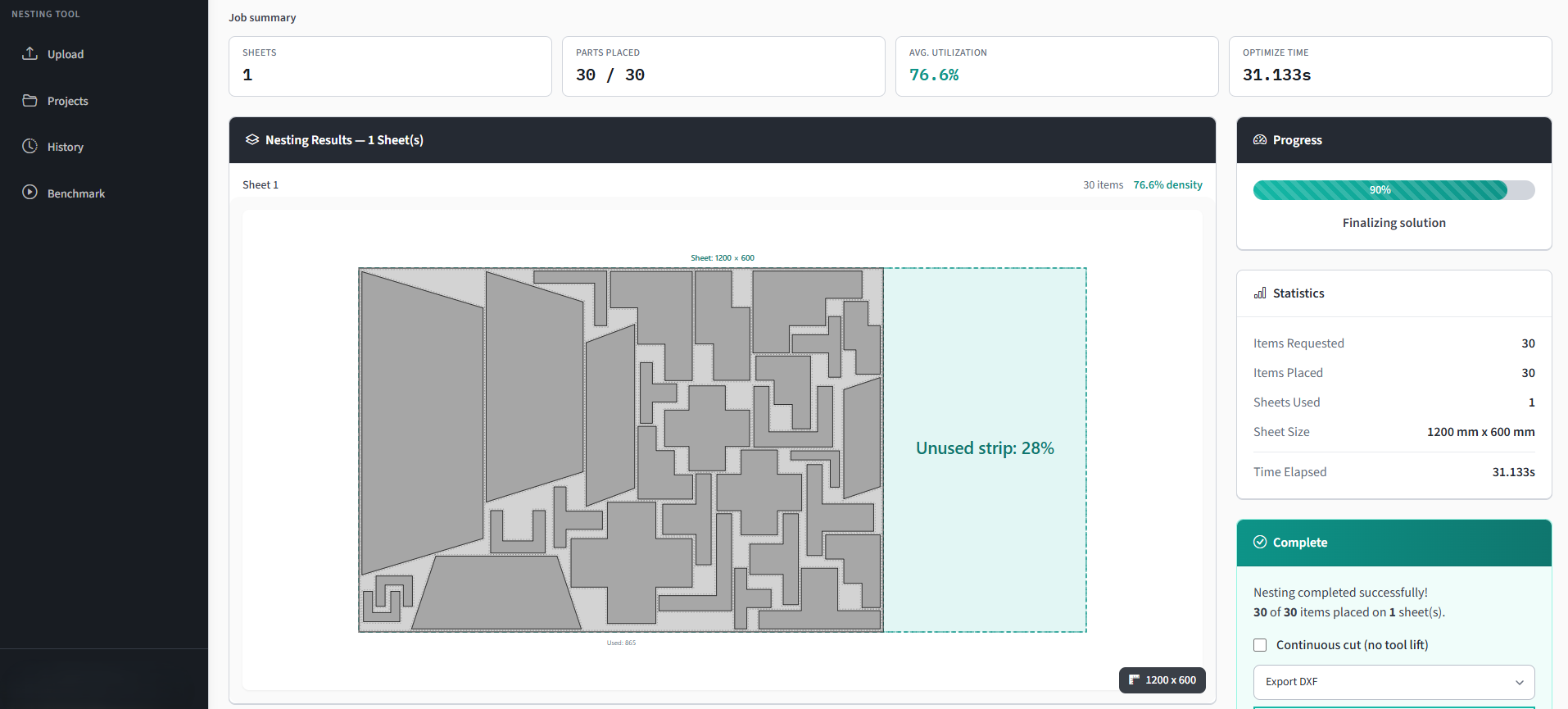
Browser or desktop: the actual trade-off
Running in a browser is not free of cost, and pages that pretend otherwise are not worth much. Both sides:
- Nothing to install, nothing to approve
No download, no admin rights, no IT ticket. That matters more than it sounds in shops where the office machine is locked down and the CAD seat is not yours to modify.
- Any operating system
Most established nesting tools are Windows-only desktop applications. A browser tool works the same on macOS, Linux and a Chromebook, which is useful when the person quoting a job is not sitting at the CAD workstation. It is built for a mouse and a proper screen, though: phones and upright tablets are asked to use a computer.
- Always the current version
No version drift between machines and no upgrade project. The counterpoint is real too: you do not get to stay on a version that works for you.
- You need a connection
This is the honest cost. A browser tool is useless on an air-gapped network or when the line is down. If offline capability is a hard requirement, a desktop tool is the right answer and Deepnest is free.
- Your files go to a server
Nesting happens server-side, so the part geometry leaves your machine. For most fabrication work that is unremarkable; for defence or NDA work it may not be acceptable, and you should treat that as a real constraint rather than a checkbox.
How it works
From file to cut-ready in under a minute
If you can upload a file, you can use Lapas.
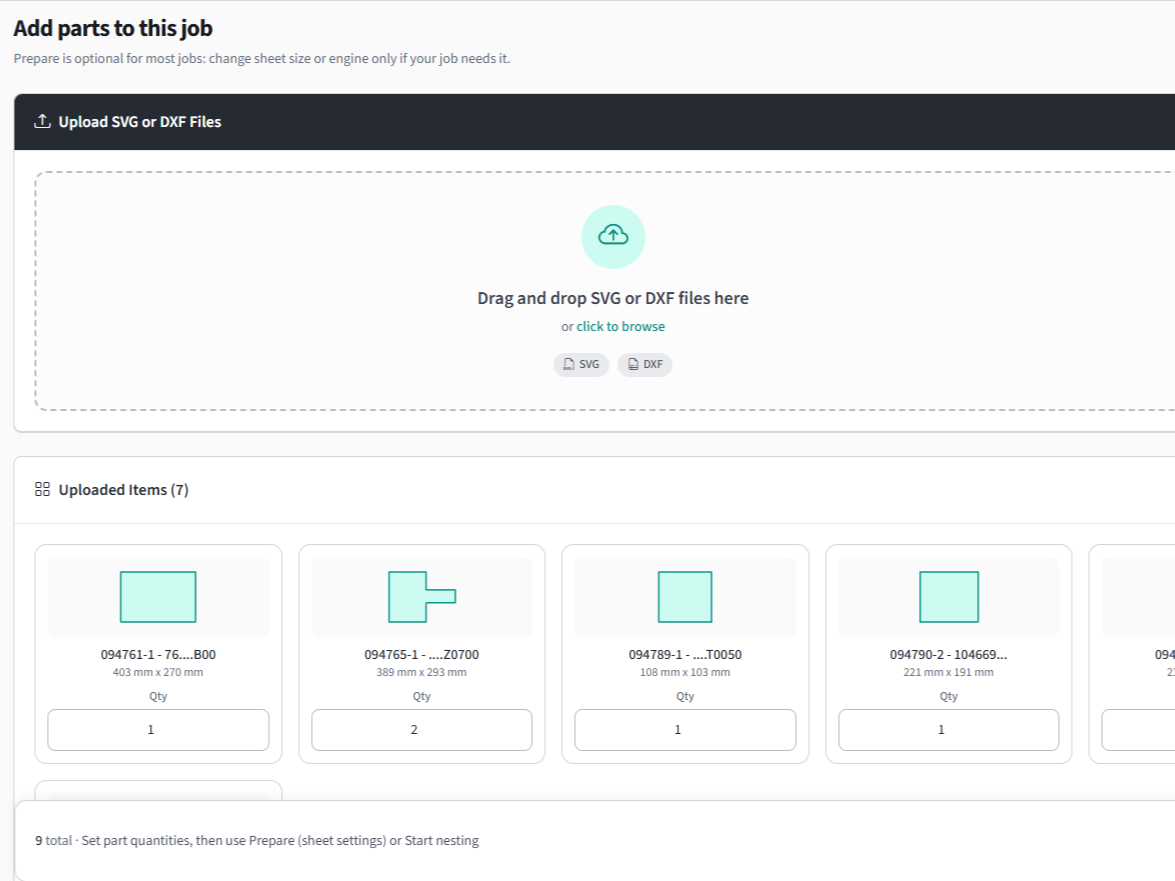
Upload your parts
Drop in your DXF, DWG, SVG, PDF, Illustrator or LightBurn file. Set how many of each part you need.
AutoCAD, SolidWorks, Fusion 360, FreeCAD: all supported.
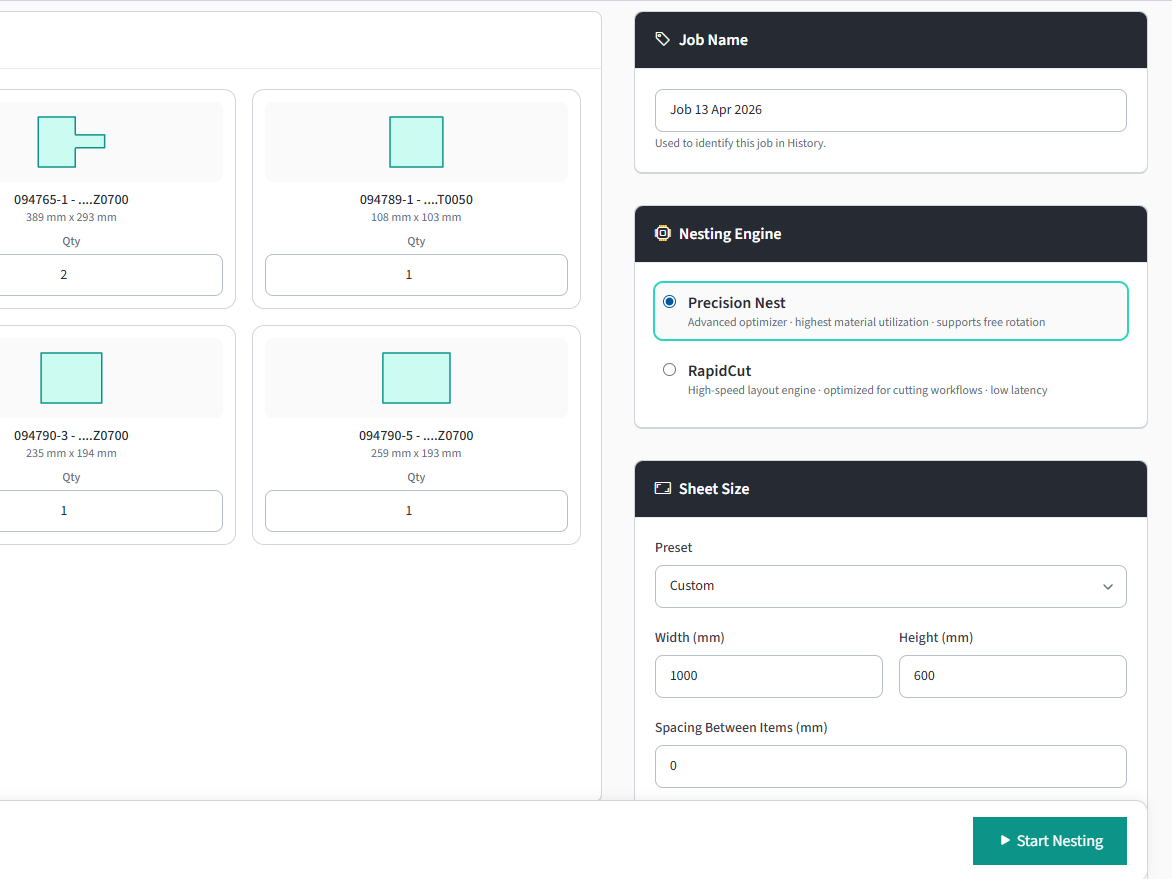
Set your sheet size
Enter sheet dimensions, part spacing, and how long the optimizer may search.
Multiple sheets, rotation rules, and grain direction supported.
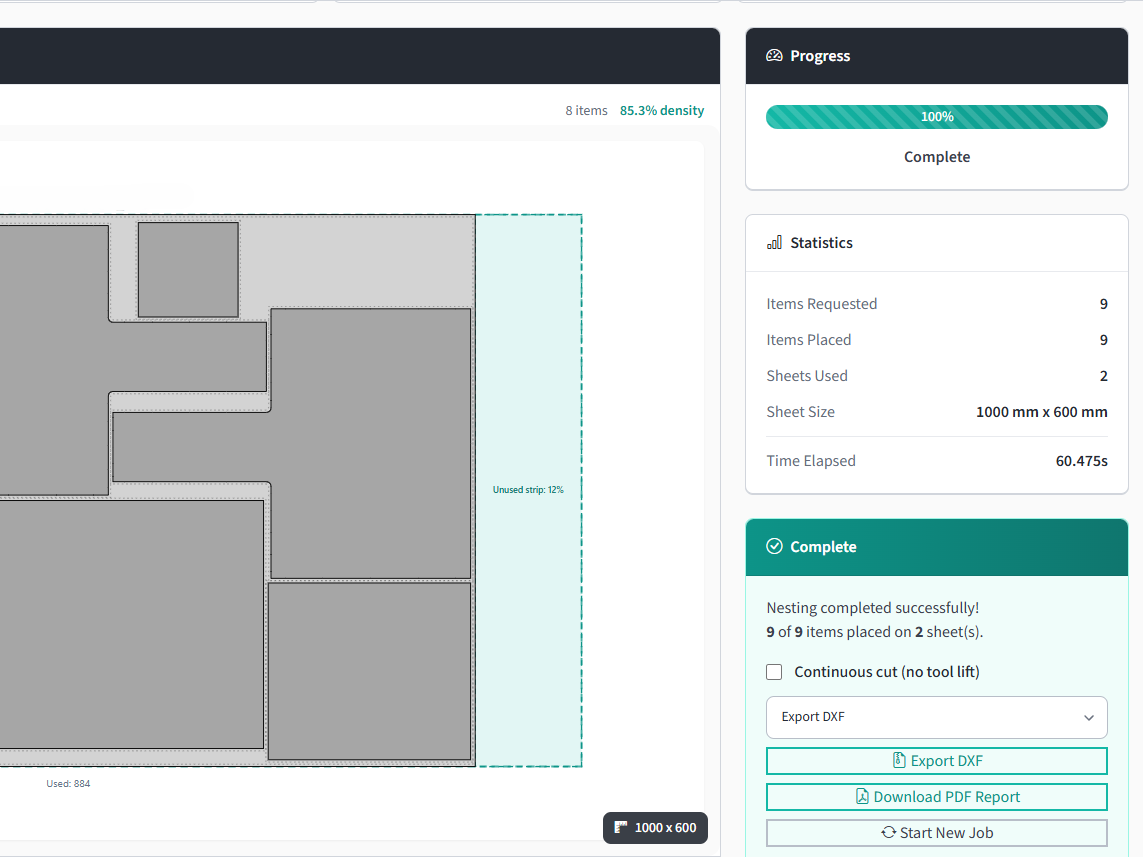
Get your cutting layout
Download DXF or PDF report. Ready for the machine or your customer.
See sheets needed, utilization %, and part placement.
Lapas doesn't replace your CAM. It hands back a nested DXF. Lead-ins, kerf compensation, and cut sequencing stay in the tools you use today. If your machine reads DXF, it works with Lapas.
See it in action
Watch a DXF go from upload to cut-ready
Open the demo page for a step-by-step breakdown of this job.
The other online options
There are not many. SVGNest is free, open source and browser-based, but reads SVG only and its last commit was April 2019. MyNesting is the closest paid equivalent, also browser-based and also $49 a month, with a parts library Lapas does not have and a trial that asks for a card. Deepnest is desktop rather than online, and is the one to use if you need it offline.
Full breakdown of the free nesting software options and the comparison index.
Common questions
Yes. Lapas runs entirely in the browser: upload a DXF or SVG, set sheet size and part spacing, and get the nested layout back without installing anything. SVGNest is another browser option, free and open source, but it reads SVG only and has not been updated since April 2019.
The Lapas free plan is $0 with no expiry and no credit card: unlimited nesting and re-nesting, no cap on parts per job, and the full nesting engine rather than a limited version. It includes 5 project exports a month in any format; Pro removes the export cap at $49 a month, or $39 a month billed annually.
For the nesting itself, the engine is what matters, not where it runs. Ours is benchmarked against deepnest-next across 37 cases with the raw data published. Where desktop enterprise tools are genuinely ahead is machine-specific post processors, scheduling and ERP integration, none of which Lapas does.
Yes, all of them. There is no separate build; it is the same browser application on any desktop or laptop, which is the main practical reason to pick an online tool over a Windows-only desktop install. Phones and upright tablets are asked to use a computer, because laying out a sheet needs a mouse and room.
Nesting runs server-side, so your geometry is uploaded. If your work is under NDA or export control, weigh that before uploading anything, and consider an offline desktop tool instead. We would rather say this plainly than bury it.
No. A browser-based tool needs a connection. If offline operation is a hard requirement, Deepnest is free, open source and runs locally, and the deepnest-next community fork is actively maintained.
Related: nesting software overview and nesting DXF files specifically.
Don't take our word for it.
Upload one of your own DXF files and see the layout yourself. It's free and takes about two minutes.
On a phone? Book a 20-minute call and we nest your file with you on a screen share.
No credit card · No install · Your files stay yours
Free · 20 minutes · No commitment